I did another QP freebie for you with a beautiful kit
called Sweetness by Polkadot. You can grab it over
at CSD, HERE
You can download the full size freebie
HERE
Thursday, February 23, 2012
Wednesday, October 19, 2011
A litte Freebie for you...Hugs..Kat
I have been playing around with a little tagger size Autumn kit
for you all to play with. I am learning lots of new things in psp
thanks to some wonderful tutorials on designing. The flowers, I
tubed myself from my own. I would love to see your creations..please
feel free to share them with me.
You can send them to mschowwv@yahoo.com
You can grab it HERE
for you all to play with. I am learning lots of new things in psp
thanks to some wonderful tutorials on designing. The flowers, I
tubed myself from my own. I would love to see your creations..please
feel free to share them with me.
You can send them to mschowwv@yahoo.com
You can grab it HERE
Friday, September 2, 2011
One of my favorite places to hang out!!
Want to have a little scrappy fun...Run over to
Cool Scraps Digital. Lots of fun and games. Wonderful
scraps and more..
http://coolscrapsdigital.com/
Cool Scraps Digital. Lots of fun and games. Wonderful
scraps and more..
http://coolscrapsdigital.com/
Tuesday, August 16, 2011
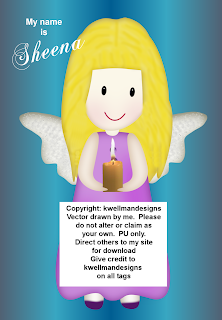
QP Freebie by KWellmanDesigns
Saturday, June 11, 2011
Gorjuss Clubhouse by Kat
I wrote this tut for Nette's CT Team using her wonderful kit
called Wisteria. Hope you enjoy it. Hugs..Kat
This tut was written by me on June 11, 2011 and any resemblance
to any other is pure coincidense. I wrote this using PSPX, but any
version should do.
I used the wonderful artwork of Suzanne Woolcott and you need
a license to use her work. You can get one HERE
The kit I used is a PTU called Wisteria by Nette. You can visit her
store HERE
I used Mask 7 by Zuzzanna. You can grab it HERE
Don't forget to leave a little love....
1: Open a new transparent image 700 x 700 and flood fill white.
2: Open paper 9, resize 700 x 700 and then copy/paste as a new
layer. Apply your mask.
3: Open the tree house element. Copy/Paste as new layer and use
pick tool to size so it looks good in from of your mask. See my
tag.
4: Open Grass Element 2 and Copy/Paste as new layer. Move below
the tree house. Dupicate this and mrror. Use pick tool to size and
place where it suits you.
5: Open the Sign Element. Copy/Paste as new layer. Use pick tool to
size and move down to the left corner of your tag. See mine.
6: Using the freehand selection tool. Copy the post part of the sign and
paste it over in the right of your tag below the treehouse. Use eraser
tool to erase part of the fense so it looks like it is in the yard.
7: Copy/Paste the birdhouse element and plase on top of post. of course
use pick tool to size.
8: Copy and Paste bird element 3 on top of bird house. Then place a couple
of butterflies on tag.
9: Copy and Paste branch 2 and place at bottom right of tree, using pick tool
to size.
10: Place your tube of choice.
11: Give all layers except the mask a nice drop shadow.
12: Resize your tag
13: Add credits and Name.
I hope you have enjoyed the tut and would love to see your results..Have
a wonderful day. Hugs..Kat
called Wisteria. Hope you enjoy it. Hugs..Kat
This tut was written by me on June 11, 2011 and any resemblance
to any other is pure coincidense. I wrote this using PSPX, but any
version should do.
I used the wonderful artwork of Suzanne Woolcott and you need
a license to use her work. You can get one HERE
The kit I used is a PTU called Wisteria by Nette. You can visit her
store HERE
I used Mask 7 by Zuzzanna. You can grab it HERE
Don't forget to leave a little love....
1: Open a new transparent image 700 x 700 and flood fill white.
2: Open paper 9, resize 700 x 700 and then copy/paste as a new
layer. Apply your mask.
3: Open the tree house element. Copy/Paste as new layer and use
pick tool to size so it looks good in from of your mask. See my
tag.
4: Open Grass Element 2 and Copy/Paste as new layer. Move below
the tree house. Dupicate this and mrror. Use pick tool to size and
place where it suits you.
5: Open the Sign Element. Copy/Paste as new layer. Use pick tool to
size and move down to the left corner of your tag. See mine.
6: Using the freehand selection tool. Copy the post part of the sign and
paste it over in the right of your tag below the treehouse. Use eraser
tool to erase part of the fense so it looks like it is in the yard.
7: Copy/Paste the birdhouse element and plase on top of post. of course
use pick tool to size.
8: Copy and Paste bird element 3 on top of bird house. Then place a couple
of butterflies on tag.
9: Copy and Paste branch 2 and place at bottom right of tree, using pick tool
to size.
10: Place your tube of choice.
11: Give all layers except the mask a nice drop shadow.
12: Resize your tag
13: Add credits and Name.
I hope you have enjoyed the tut and would love to see your results..Have
a wonderful day. Hugs..Kat
Thursday, April 21, 2011
Spring by Kat
Well, I finally got around to writing another tut for Nette. Hope
you enjoy it and I would love to see your creations..Hugs...Kat
This tut was written by me on April 20th, 2011 and any
resemblance to another is pure coinsidence. I am assuming
you have a working knowledge of psp.
I used the wonderful artwork of Suzanne Woolcott. You need
a license to use her work and can get one HERE.
The kit I used is by Nette and is called Breath of fresh air. You
can purchase it at her store, HERE.
Ok...Let's get started.
1. Open a new image 700 x 700 and flood fill white.
This gives you space to work.
2. Open the window element and size 550 x 660. Copy
and paste this as a new layer.
3. Open paper 6 and resize 500 x 500. C/P as new layer
behind the window. Use your pick tool to size so that is is just
a background behind the window.
4. Please tube of choice behind the window layer.
5. Open bird element and size 105 x 91. Copy and Paste
as a new layer and move to the right of window. See mine.
6. Open Bike and size 281 x 226. Copy and Paste as new
layer and move to the left corner of frame. See mine.
7. Open Pansies. Size 190 x 259. Copy and Paste as new
layer and move behind the bike layer. Duplicate and Mirror.
Using pick tool resize and move behind bird. See my tag.
8. Open Cloud. Resize 656 x 375. Copy and Paste as new
layer above white BG layer. Move to the top so that some shows
behind frame. Duplicate and move to middle. Duplicate again and
flip to bottom. Merge the 3 clouds and size to show on outer edges
of the frame.
9. Open rose cluster. Size 245 x 145. Copy and Paste as new layer.
duplicate 2 times. Move to top of frame and using pick tool arrange
into a swag. Use eraser tool to get rid of unwanted parts. Merge
the 3 layers.
10. Give everything a nice drop shadow and sharpen if needed.
11. Hide white BG layer. Edit, copy merged and then edit paste
as new image.
12. On this new image, Edit copy and edit paste as new image. This
just gets rid of excess around the tag. Now size to whatever size you
want it to be.
13. Add copyright and Name. Save as PNG file.
I hope you have enjoy my tut. I would love to hear comments and
see your results..Have a great day..
you enjoy it and I would love to see your creations..Hugs...Kat
This tut was written by me on April 20th, 2011 and any
resemblance to another is pure coinsidence. I am assuming
you have a working knowledge of psp.
I used the wonderful artwork of Suzanne Woolcott. You need
a license to use her work and can get one HERE.
The kit I used is by Nette and is called Breath of fresh air. You
can purchase it at her store, HERE.
Ok...Let's get started.
1. Open a new image 700 x 700 and flood fill white.
This gives you space to work.
2. Open the window element and size 550 x 660. Copy
and paste this as a new layer.
3. Open paper 6 and resize 500 x 500. C/P as new layer
behind the window. Use your pick tool to size so that is is just
a background behind the window.
4. Please tube of choice behind the window layer.
5. Open bird element and size 105 x 91. Copy and Paste
as a new layer and move to the right of window. See mine.
6. Open Bike and size 281 x 226. Copy and Paste as new
layer and move to the left corner of frame. See mine.
7. Open Pansies. Size 190 x 259. Copy and Paste as new
layer and move behind the bike layer. Duplicate and Mirror.
Using pick tool resize and move behind bird. See my tag.
8. Open Cloud. Resize 656 x 375. Copy and Paste as new
layer above white BG layer. Move to the top so that some shows
behind frame. Duplicate and move to middle. Duplicate again and
flip to bottom. Merge the 3 clouds and size to show on outer edges
of the frame.
9. Open rose cluster. Size 245 x 145. Copy and Paste as new layer.
duplicate 2 times. Move to top of frame and using pick tool arrange
into a swag. Use eraser tool to get rid of unwanted parts. Merge
the 3 layers.
10. Give everything a nice drop shadow and sharpen if needed.
11. Hide white BG layer. Edit, copy merged and then edit paste
as new image.
12. On this new image, Edit copy and edit paste as new image. This
just gets rid of excess around the tag. Now size to whatever size you
want it to be.
13. Add copyright and Name. Save as PNG file.
I hope you have enjoy my tut. I would love to hear comments and
see your results..Have a great day..
Subscribe to:
Posts (Atom)